Android Notification History: Find Dismissed Alerts
You can find dismissed alerts if notification history was already on. Turning it on or installing Quietly now cannot restore earlier notifications.
Where to look on your phone
- GalaxySettingsNotificationsAdvanced settingsNotification history
- PixelSettingsNotificationsNotification history
Turning it on now saves future alerts only. To search them, browse by app or keep them longer, Quietly saves new notifications after setup.
On this page
Find notification history on Samsung
On supported Galaxy phones, open Settings → Notifications → Advanced settings → Notification history.
- Open Settings and select Notifications.
- Choose Advanced settings, then Notification history.
- If history was already on, look for the dismissed alert. If it was off, enable it to start saving future alerts.
Menu names and availability vary by model and software version. Older alerts may no longer be available; do not assume every Galaxy model keeps the same history. This path follows Samsung's notification history instructions.
Find notification history on Pixel
Open Settings → Notifications → Notification history. If Use notification history was already enabled, check the list for the alert you dismissed.
Pixel keeps dismissed notifications from the last 24 hours when history is on. You can also swipe down to open the notification panel and tap History at the bottom. Turning history on now starts a record for future alerts; it does not backfill older ones. See Google's Pixel instructions.
Why is notification history empty?
| What you find | What it means | What to do next |
|---|---|---|
| History was off when the alert arrived | Android history did not save that alert. | Check the original app's messages or activity, then enable history for future alerts. |
| History is on, but the alert is old | It may be outside the phone's available history. | Check the original app; switching history off and on will not restore expired entries. |
| There is no history menu | Your model or software may use another path or not support the feature. | Search Settings for notification history and check your manufacturer's support instructions. |
A notification can only show content the sending app supplied. Missing message text or a hidden preview cannot be reconstructed from an empty history. Installing another app now also cannot recover an alert that it never captured.
Save and search future alerts with Quietly
If you need to search saved text, browse by app, or choose a longer retention period, Quietly's notification history can help with new notifications captured after setup. Recording requires your consent, Android notification access, and active processing.
Checked against Quietly’s product documentation. Android menus and notification behavior vary by device and source app.
Less scrolling. More finding.
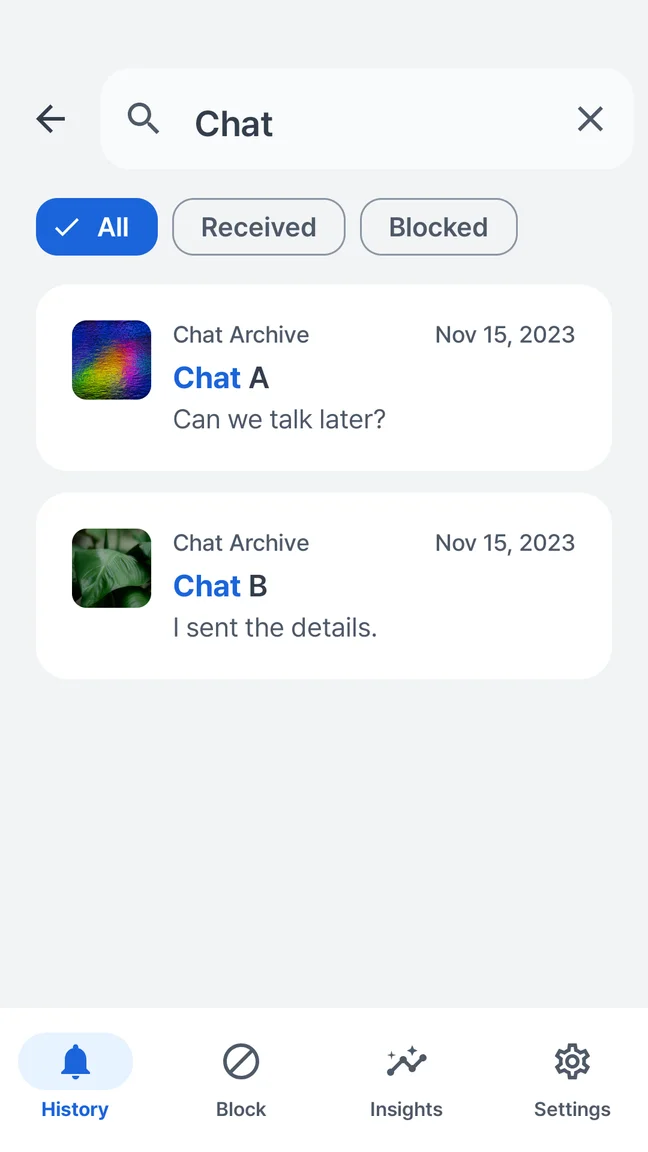
Search a word you remember and return to the saved notification. Your notification history and searches stay on your device; there is no account to create.
- Search text in saved notifications
- Browse notifications by app and time
- Choose retention and delete saved history
Android 7.0+ · Free with ads · No account
Searchable historySet up a record for the next alert
- Install Quietly and read the notification processing explanation.
- If you agree, give consent and enable Quietly in Android notification access settings.
- Check that processing is active and let a new notification arrive from another app.
- Open History and search for a phrase from that alert, or browse the sending app.
If nothing appears, follow the notification access guide or setup help. Interrupted processing or previews withheld by the source app can leave gaps.
Choose retention without treating it as a backup
Quietly offers 7, 30, or 90 days, or retention until you manually delete records. The default is 30 days. These retention choices are available in the free version; its seven-day Insights window is a separate limit.
Storage safeguards still apply, including with manual deletion selected. Deleting records, shortening retention, or reinstalling cannot recreate lost local history. Choose the shortest period that meets your needs.
For saved message text and its limits, read about message previews. A captured preview is a notification copy, not recovery of a deleted conversation; read receipts depend on the original messaging app.
Product details: Quietly on Google Play.