Read Message Previews Without Opening the Chat Read the message. Open the chat when you’re ready.
A dinner plan. A quick update. A conversation you’ll come back to. Read the notification preview in Quietly, then decide when to open the chat.
Android 7.0+ · Free with ads · No account
How it works
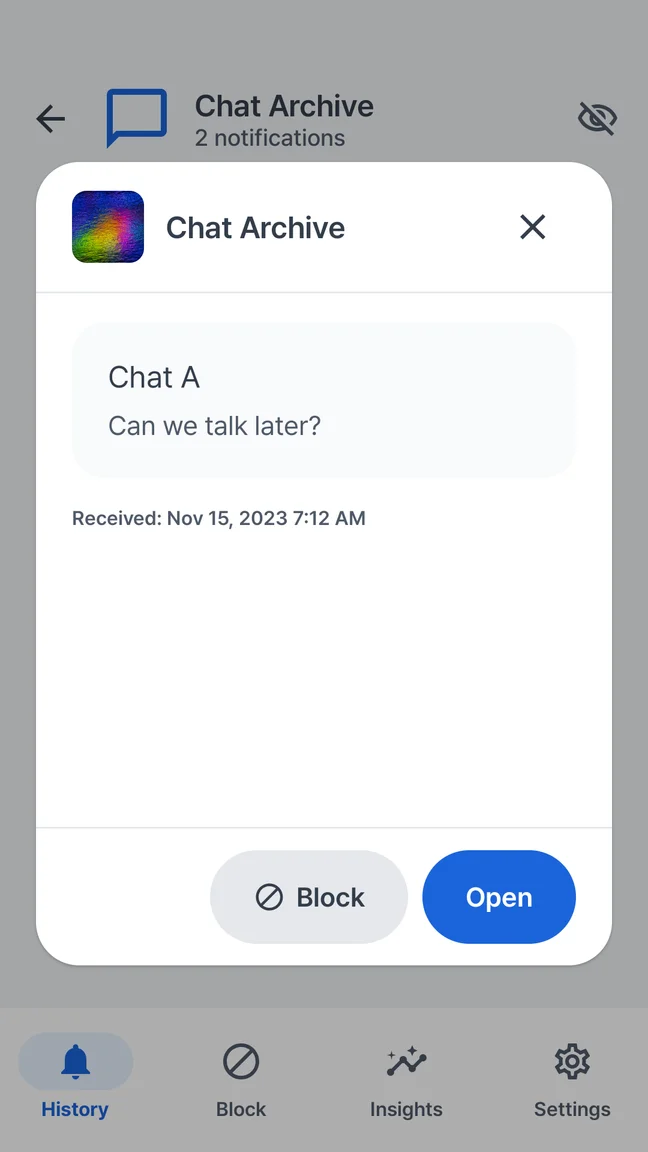
Quietly shows message text already delivered in an Android notification. Viewing that saved preview does not itself open the original conversation. Available content and read-receipt behavior depend on the messaging app and its settings.
The preview, in a place of its own.
Open a saved item in Quietly to read the available notification text. You stay in your notification history until you choose an action that opens the source app.
- Check delivered message text in Quietly
- Search for a name, place or phrase you received
- Choose when to open the original conversation
A little breathing room before you reply.
Sometimes you need the meeting address, not another conversation. Quietly gives saved notification text its own home, so checking a detail and opening a chat can be separate decisions.
It starts with what Android receives.
The sending app must include useful text in a delivered notification. Hidden previews, muted chats, notification settings and Android restrictions can limit what is available. Quietly cannot reveal text that the source app never supplied.
Save the preview. Keep the expectations clear.
Recording starts after setup and notification access. A preview saved before a message was unsent may remain, but Quietly does not recover the original conversation, old messages or content that was never delivered.
A little more clarity.
Can I read messages without marking them as read?
Does this work with every messenger?
Can Quietly show photos, voice messages or an entire chat?
Explore other Quietly features
Your phone. Your pace.
Preview the message. Filter the noise. Make a little room for yourself.
GET IT ONGoogle PlayAndroid 7.0+ · Free with ads · Optional one-time Pro
 A little quieter starts here.Scan with your Android phone.