See the message.
Skip the noise.
Preview messages without opening the chat. Filter unwanted alerts by app, keyword or schedule. Find the notifications you meant to keep.
Free with ads. Optional Pro. No subscription.
Flash sale: 30% off until midnight.
Your order arrives today, between 2 and 4 pm.
Afternoon walk · 4:30 pm
Interactive example · Sample notifications
Rules apply to the apps and words you choose.
One inbox.
Three little superpowers.
Your notifications should work around your day. Quietly gives you a little more say in how they do.
A quick look.
Without opening the chat.
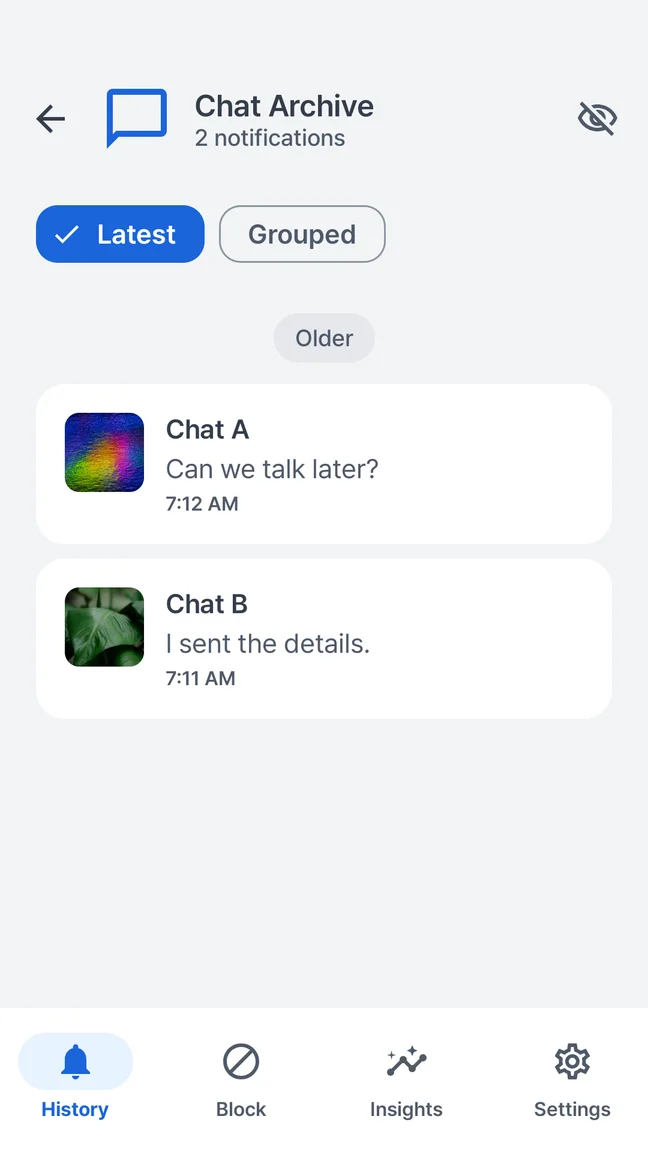
Read the preview Android delivered. Step into the conversation when you choose.
Skip the sale.
Keep the delivery update.
Choose an app and the words you don’t want. Let your rule do the sorting.
Swiped away?
Find it again.
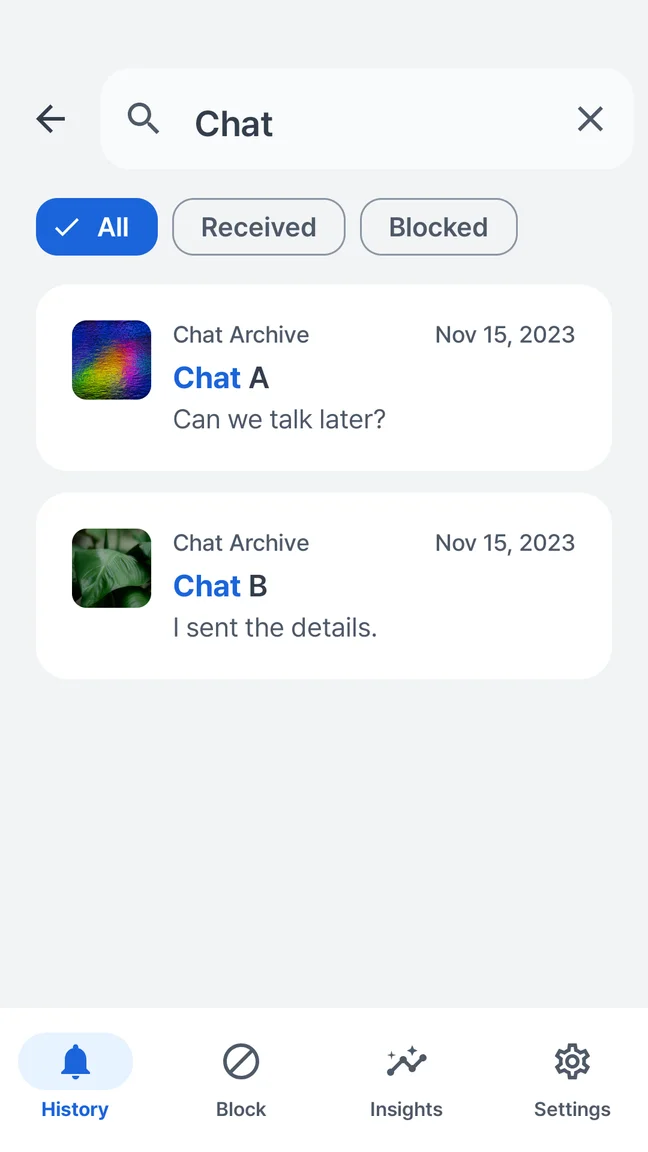
Search the notifications you’ve saved. That address, update or dinner plan is easier to find.
Let’s meet at Juniper at 7.
Illustrative examples. Previews depend on the source app. History starts after setup and notification access.
A quieter place
for everything
that came in.
A message preview to read. An update to find. A repeat promotion to turn into a rule. All in one simple Android inbox.
- Search saved notification text
- Browse by app and time
- Create rules from a notification
- Choose what to keep or delete
On your device.
A few taps to a calmer inbox.
Make a little space.
Get Quietly on Google Play. There’s no account or sign-up to get through.
Let your notifications in.
Review and allow Android notification access. Quietly starts saving new alerts.
Choose your quiet.
Preview a message, find an update, or create your first notification rule.
Your messages don’t need
another cloud.
Your notification content, rules and searches stay on your device. No account. No developer-operated content cloud. You decide what to save and when to delete it.
Free Quietly includes ads and limited app usage analytics. Your notification content is not sent in either.
The full privacy pictureFree to start.
Pro when it fits.
The core experience is yours for free. One optional purchase gives your rules more room.
Your everyday quiet.
- Notification history & search
- Delivered message previews
- Up to 5 saved rules, including schedules
- 7-day insights
- Retention & privacy controls
More room. Less noise.
- Everything in Quietly Free
- Unlimited saved rules
- No ads
- 30- and 90-day insight comparisons
- No subscription
History retention is separate from insight comparisons. Both plans offer 7, 30, 90 days or retention until deletion, subject to storage limits.
Make your phone work for you.
Block the words you don’t want to see.
A practical guide to keyword notification rules.
Read the guideThat notification you just swiped away.
What Android history can show—and when to set it up.
Read the guideWhat notification access actually means.
Understand the permission before you choose.
Read the guideCan I read messages without opening the chat app?
Can I block promotions but keep other alerts from the same app?
Can Quietly recover deleted or unsent messages?
Does my notification content leave my phone?
Is Quietly free? Is Pro a subscription?
Which phones does Quietly support?
Your phone.
Your pace.
Preview the message. Filter the noise.
Make a little room for yourself.
 A little quieter starts here.Scan with your Android phone.