
Searchable Notification History for Android Swiped away? Find your way back.
That restaurant name. The delivery update. A message you cleared too quickly. Search the notification text Quietly saved, all in one place.
Android 7.0+ · Free with ads · No account
How it works
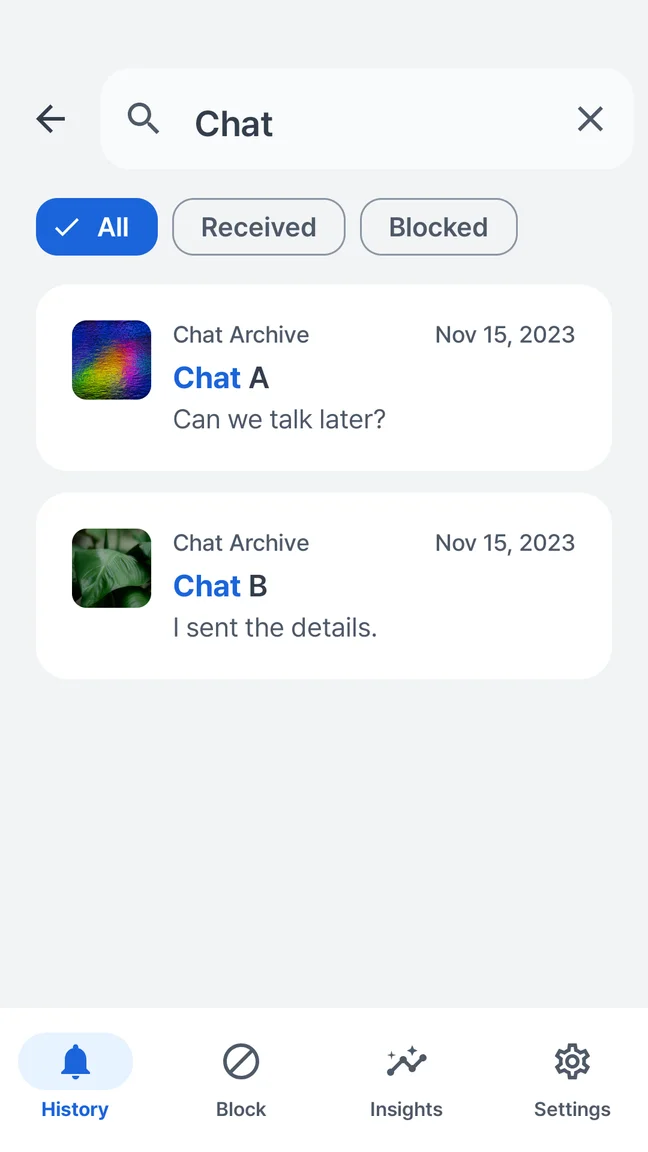
Quietly saves accessible Android notifications after setup and notification access. You can search saved text and browse by app and time. It cannot restore notifications from before recording began or content Android never delivered to it.
Less scrolling. More finding.
Search a word you remember and return to the saved notification. Your notification history and searches stay on your device; there is no account to create.
- Search text in saved notifications
- Browse notifications by app and time
- Choose retention and delete saved history
Set it up before you need it.
Notification history works from the moment recording is enabled. Install Quietly, review its disclosure, grant Android notification access if you agree, and let new notifications arrive. It is a record you build, not a backup of your past conversations.
Keep the history that fits your day.
Choose retention of 7, 30 or 90 days, or until you delete it, subject to storage limits. The default is 30 days. These controls are available in both Free and Pro; the 7-day free insights window is a separate feature.
Your phone may already have a starting point.
On supported Android phones, Settings includes a built-in notification history option that can show recently dismissed notifications once enabled. Start there if you only need a recent list. Quietly adds its own searchable inbox, saved previews, custom rules and retention controls.
A little more clarity.
Can I see notifications I dismissed before installing Quietly?
Is notification history unlimited?
Does Quietly need internet to search my history?
Explore other Quietly features
Your phone. Your pace.
Preview the message. Filter the noise. Make a little room for yourself.
GET IT ONGoogle PlayAndroid 7.0+ · Free with ads · Optional one-time Pro
 A little quieter starts here.Scan with your Android phone.